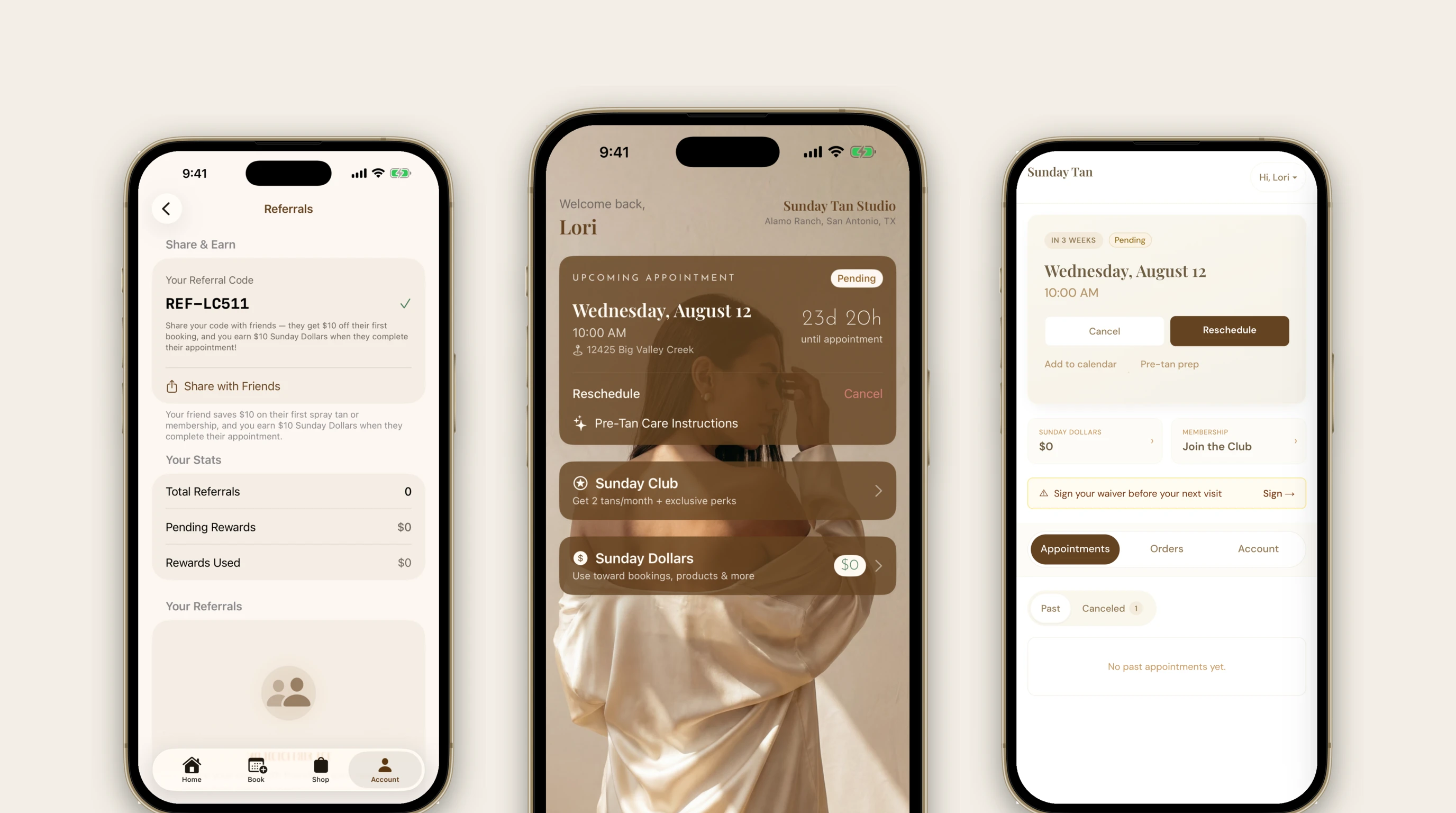
Everything You Can Do From Your Phone
I get a lot of texts that start with "sorry to bother you, but..." and then it's something you could have done yourself in about ten seconds. You are never bothering me, I promise. But I also know you're busy, and I'd rather you be able to move your appointment at 10pm on a Tuesday than wait around for me to text back.
So here's a quick tour of everything you can do yourself, in the app or on the website. Most of it is a tap or two.
Book a Tan
Pick a date, and you'll see every open time I have for that day. No back and forth, no "what do you have on Thursday?" Just tap a time and keep going. You can book up to two months out, and if you're a Sunday Club member you'll see weekend times that aren't open to everyone else.
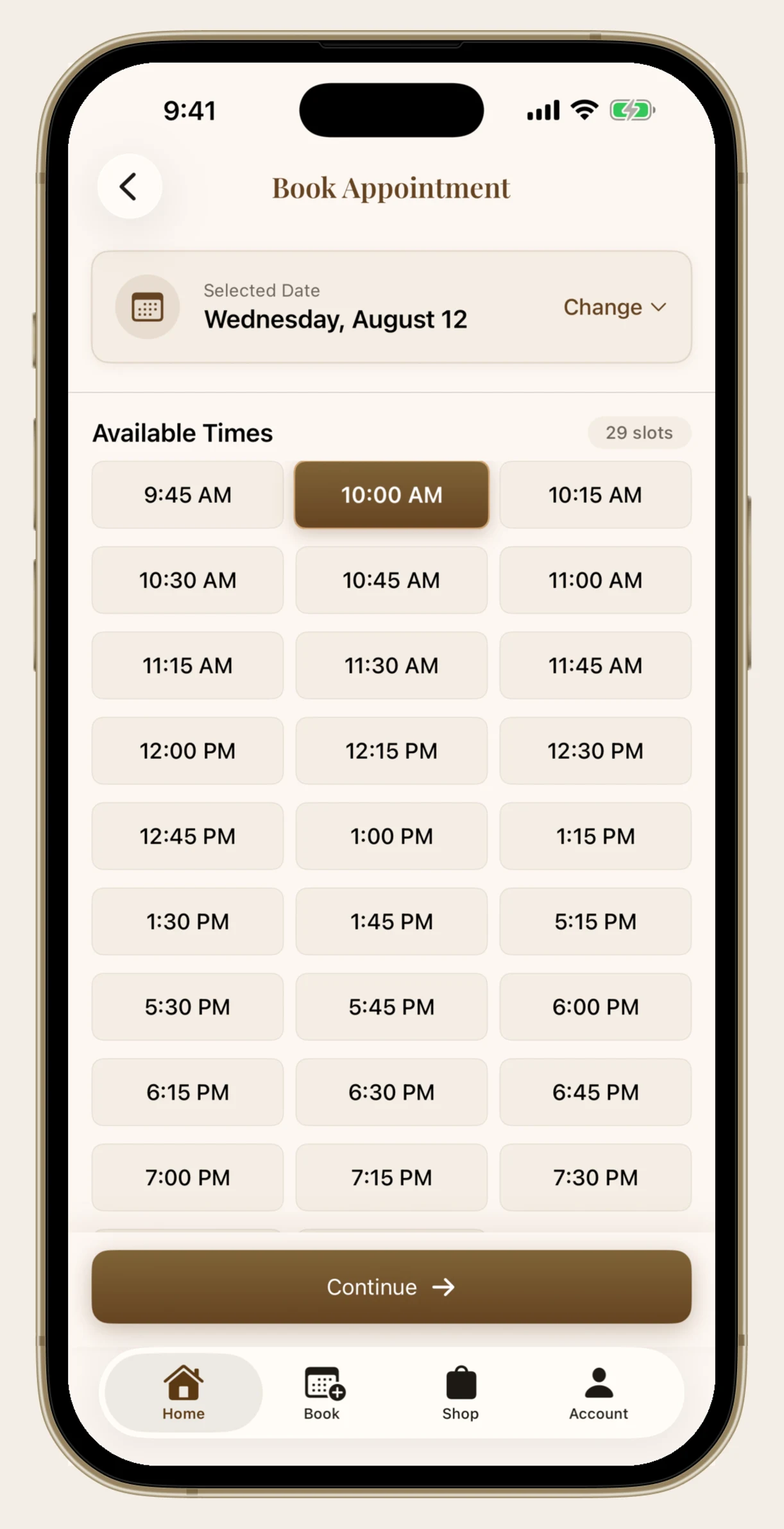
On the next screen you can add face contouring, ab contouring, or the gloss moisturizer. You can also put your Sunday Dollars toward the deposit right there, so a lot of the time you're booking without paying anything up front.
Your Next Appointment Is Right on the Home Screen
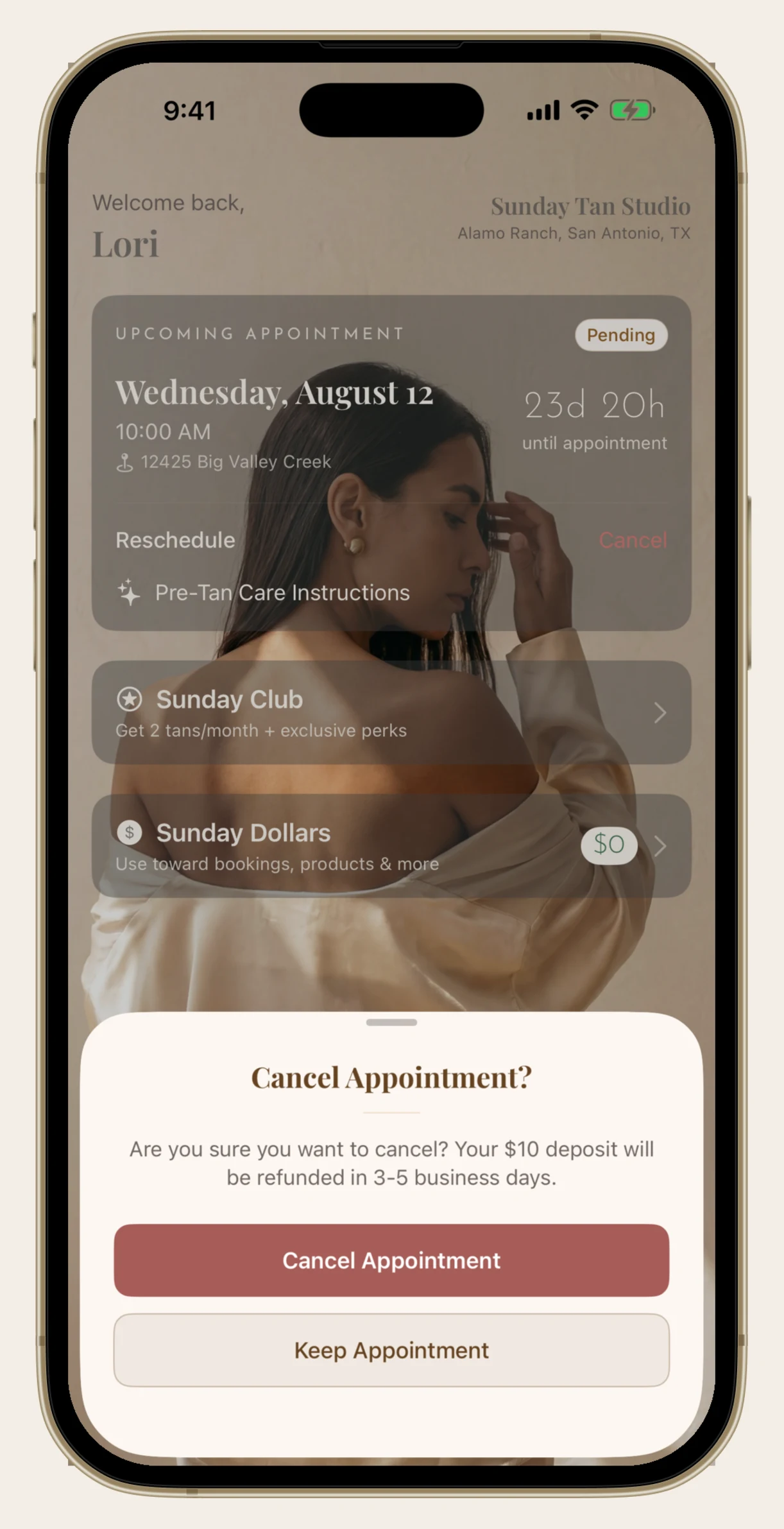
Once you're booked, the first thing you see when you open the app is your appointment, with a little countdown so you know exactly how long you have. My address is right there too, and tapping it opens directions.
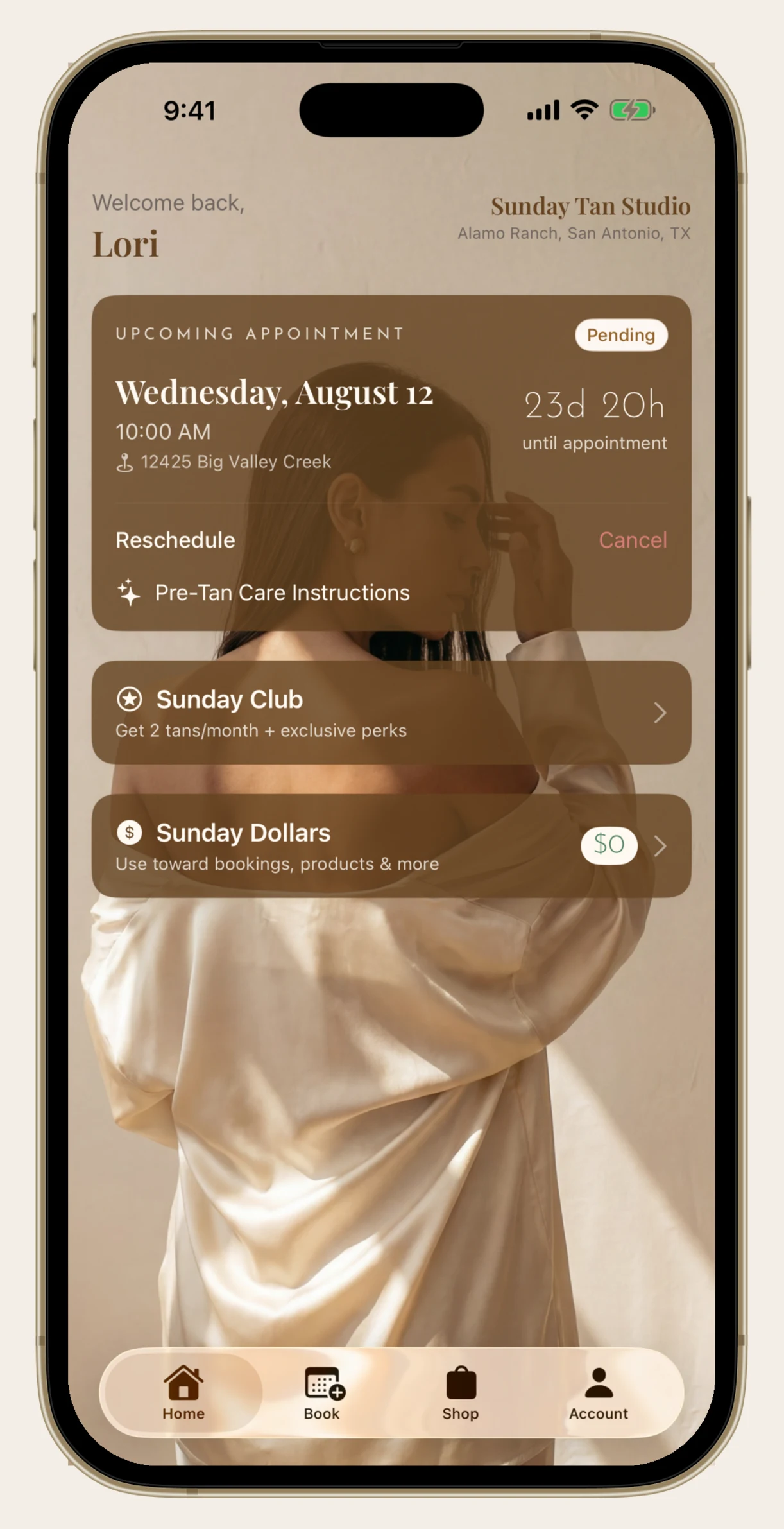
See those two words under the divider? Reschedule and Cancel. That's the whole thing. You don't have to text me.
Reschedule Yourself
Life happens. Tap Reschedule and you'll see your current appointment at the top, then a calendar to pick a new day and every open time on it. Confirm, and you're moved.
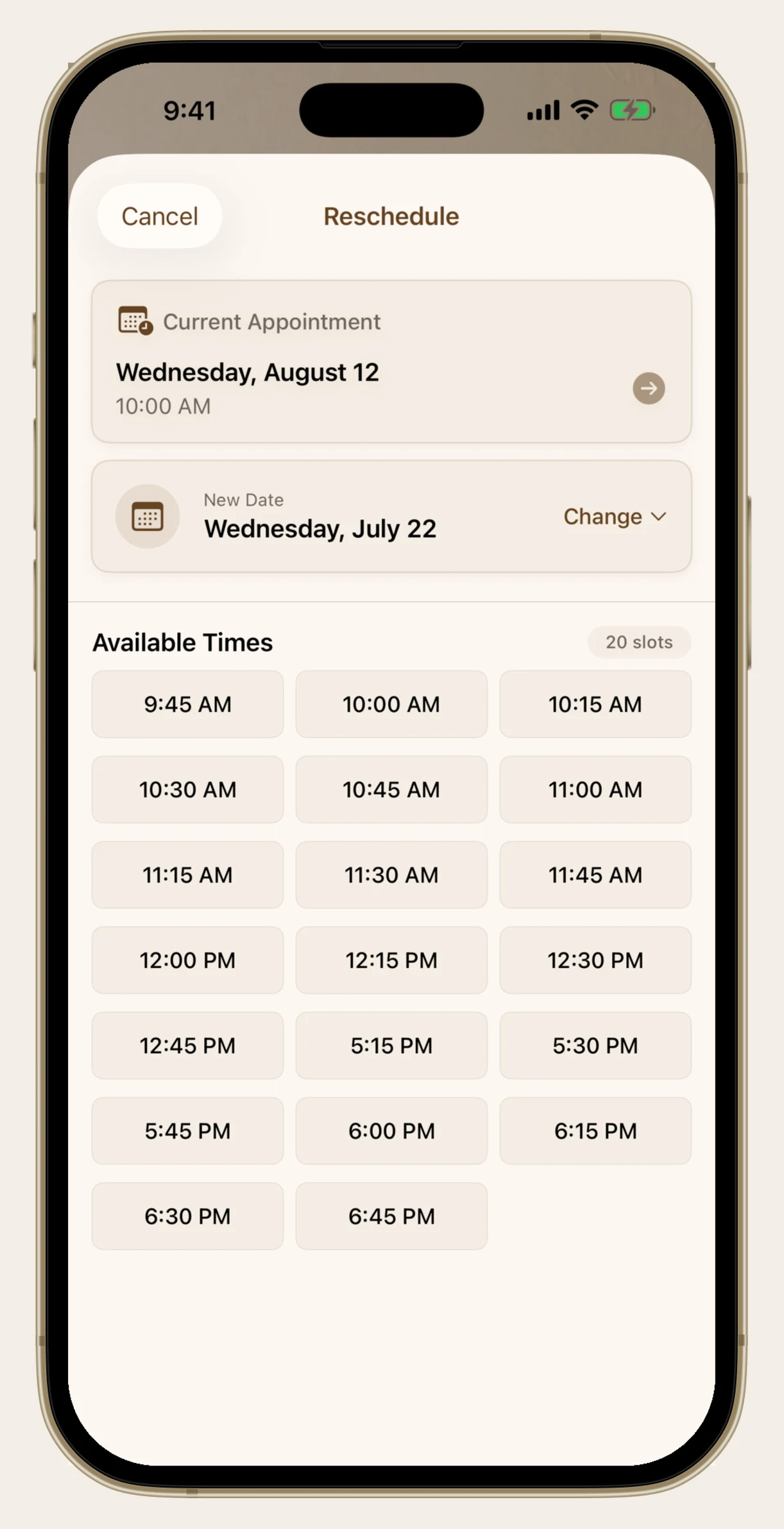
One thing to know: if you're more than 48 hours out, rescheduling is completely free. Inside of 48 hours, your original $10 deposit is kept and a new $10 deposit is due, because that slot usually can't be filled that late. The app tells you which one applies before you commit to anything, so there are never any surprises. Sunday Club members are exempt from the late fee.
All of This Works on the Website Too
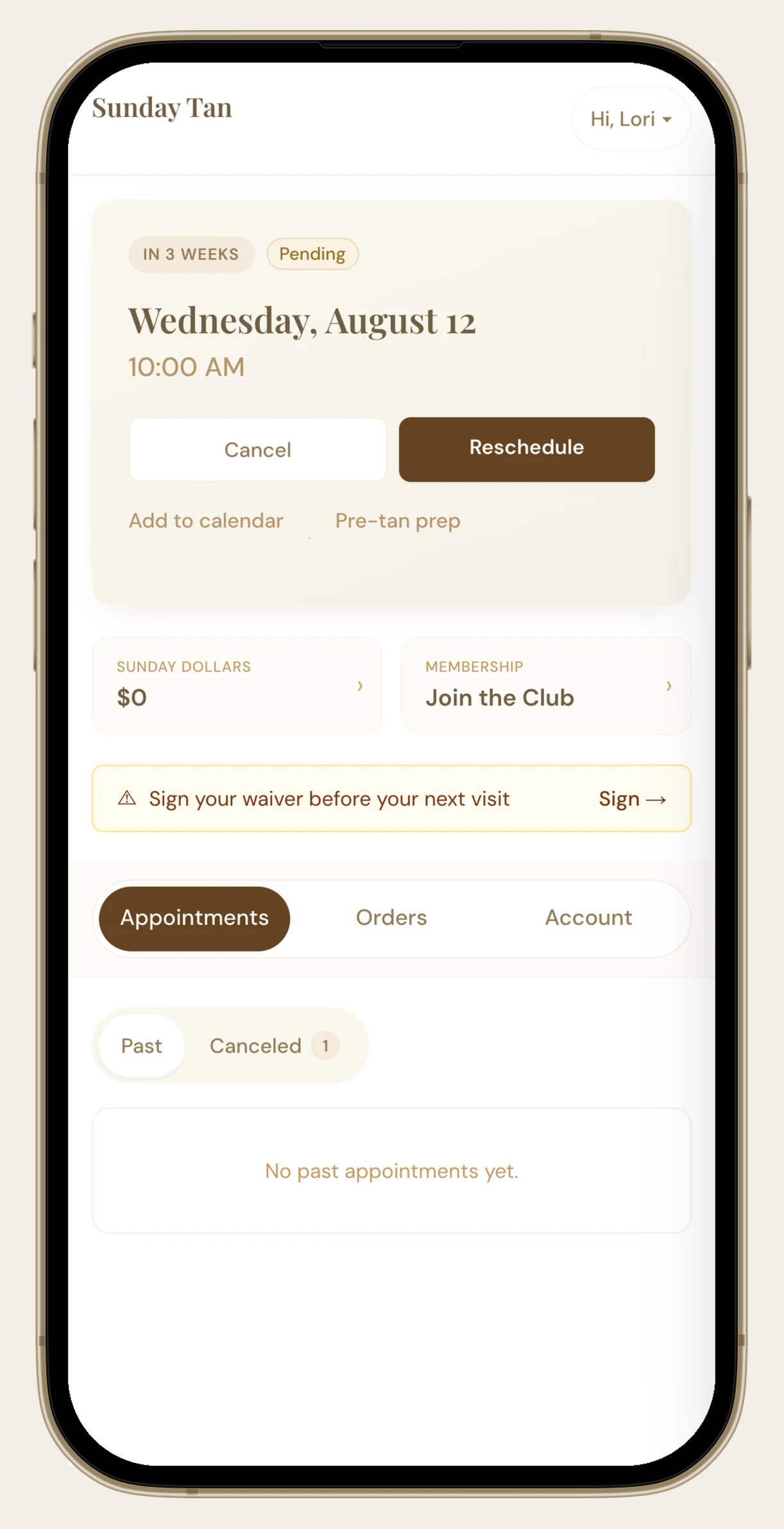
If you'd rather not have another app on your phone, that's completely fine. Log in at sundaytansa.com and your next appointment is sitting right at the top of your account page with the same Cancel and Reschedule buttons, plus a link to add it to your calendar and a shortcut to the pre-tan prep list.
Cancelling Is Just as Easy
Tap Cancel and you'll get a confirmation that tells you exactly what happens to your deposit before you decide. More than 48 hours out, your deposit comes back to you in 3 to 5 business days. Inside of 48 hours, the deposit is kept.
I'd always rather you cancel than no-show, and I'd rather you reschedule than cancel. But either way, you can do it yourself at 11pm without feeling weird about it.
Look Back at Every Appointment
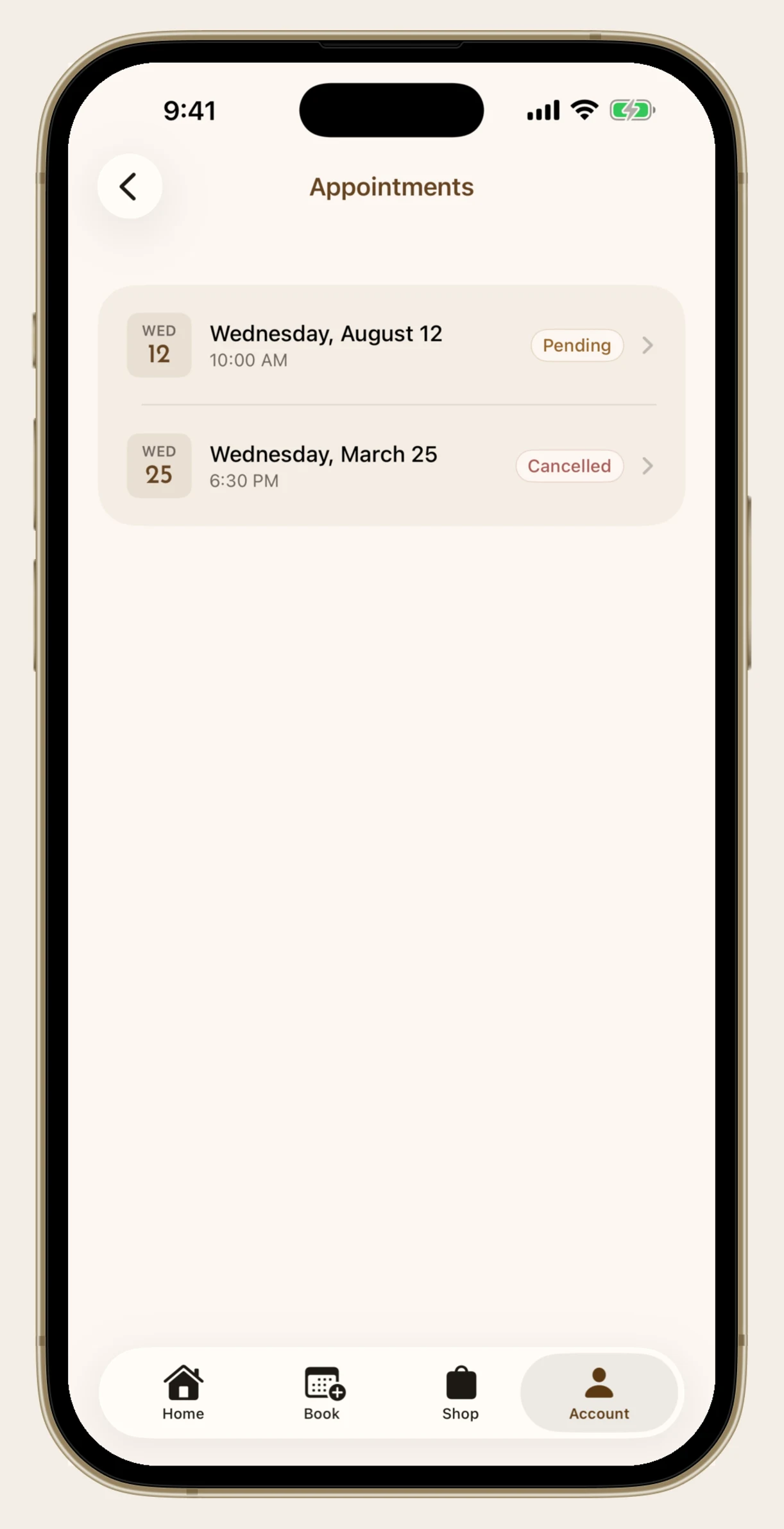
Your full appointment history lives under the Account tab. Every tan you've had, what you added on, and what you paid. It's genuinely useful for figuring out your own rhythm, like realizing you always want a fresh one right around day ten.
Check Your Sunday Dollars
Your balance is on the home screen and again inside the Sunday Dollars screen, along with your lifetime earned and spent, all four ways to earn, and every way to spend. Scroll down and there's a full transaction history, so you can see exactly where every dollar came from and where it went.
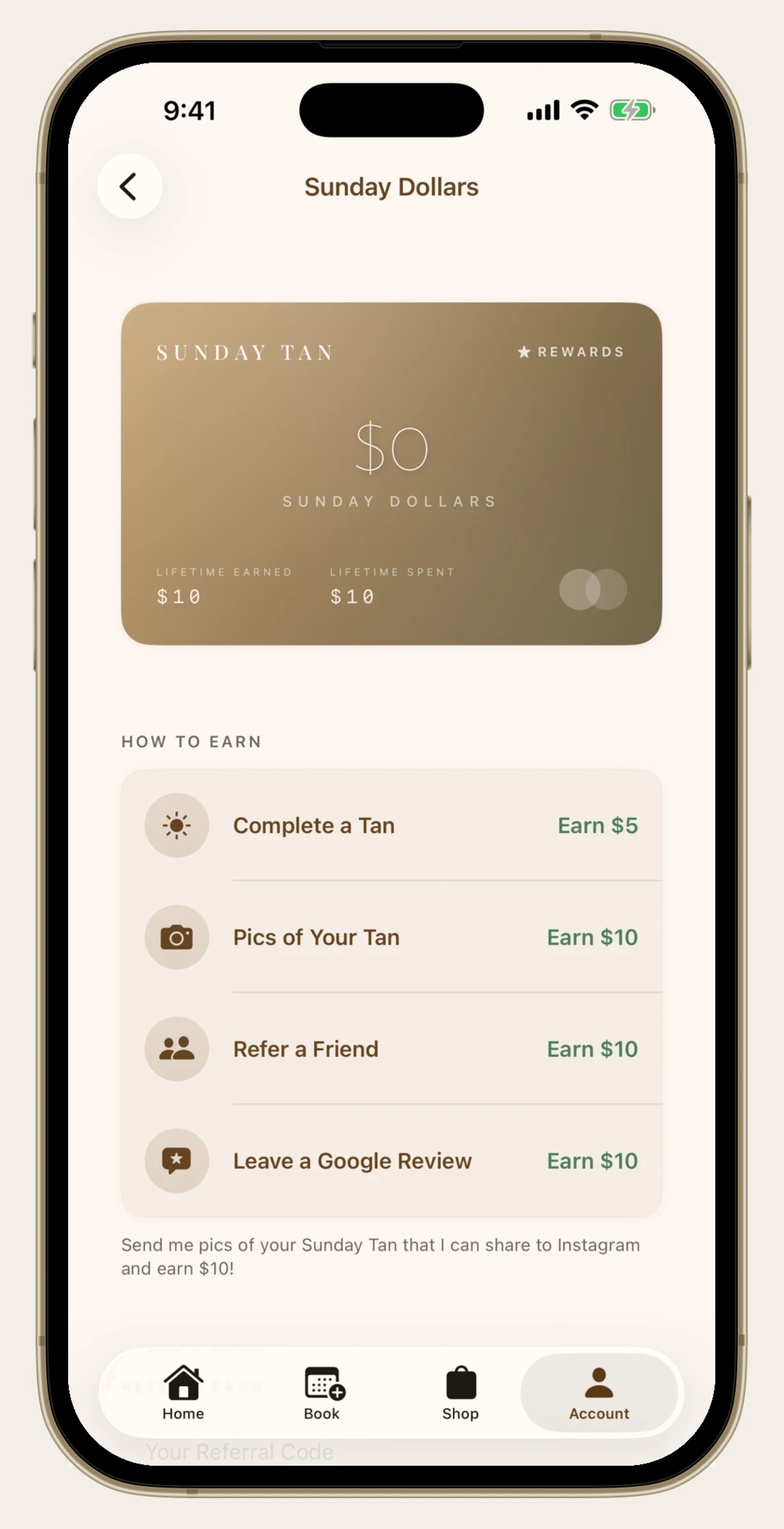
The website shows your balance and the earning rates too, but the full transaction ledger is an app thing.
Grab and Share Your Referral Code
Every client has a referral code. Tap the copy icon and it's on your clipboard, ready to paste into a text. Or tap Share with Friends and it writes the message for you.
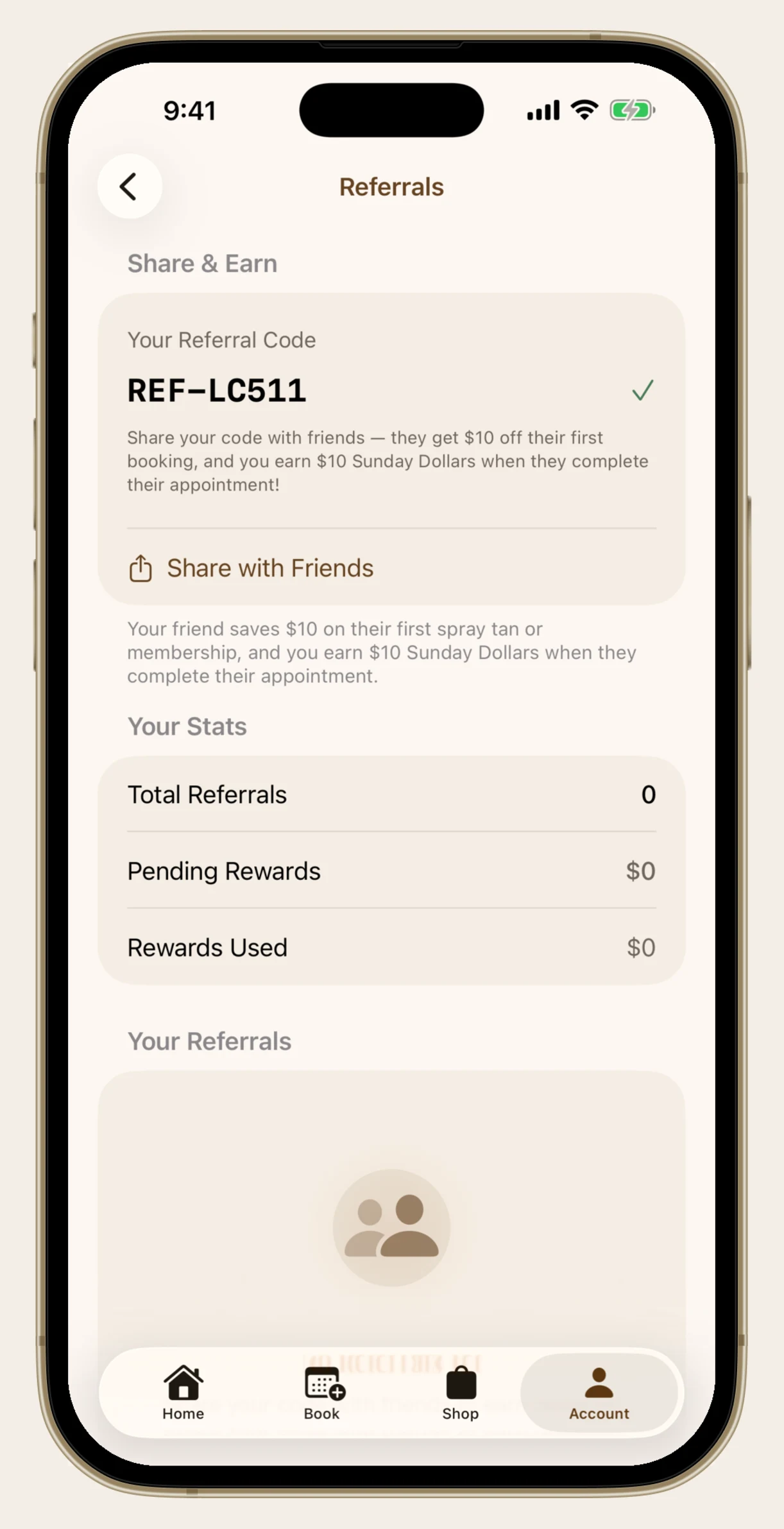
Your friend gets $10 off their first tan or membership, and you get $10 in Sunday Dollars once they complete their appointment. You can also see how many people you've referred and what's still pending. Your code is on the website too, under the Sunday Dollars card on your account page.
Leave a Google Review (and Get $10 for It)
There's a Leave a Review button in your account that takes you straight to my Google page. No hunting for the link. Reviews genuinely matter for a little business run out of a house, and I'll add $10 in Sunday Dollars to your account as a thank you once I see it.
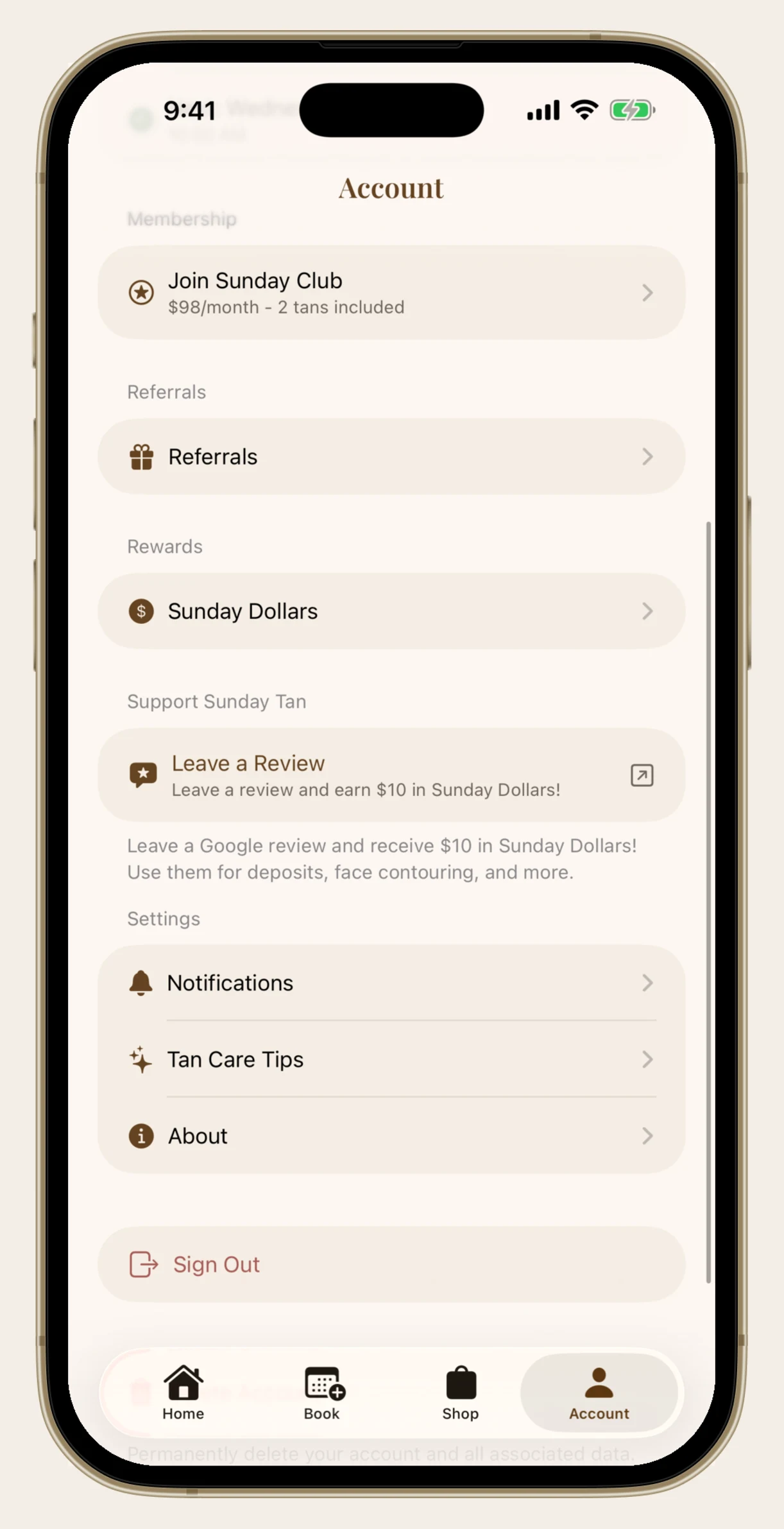
And yes, honest reviews. If something wasn't right I'd genuinely rather know.
Pre- and Post-Tan Care, Any Time You Need It
This is the one I wish more people knew about. Tan Care Tips has two tabs, Before and After, with everything you need for each. What to do 24 hours out, what to skip the day of, how long to wait before your first shower, how to make the color last.
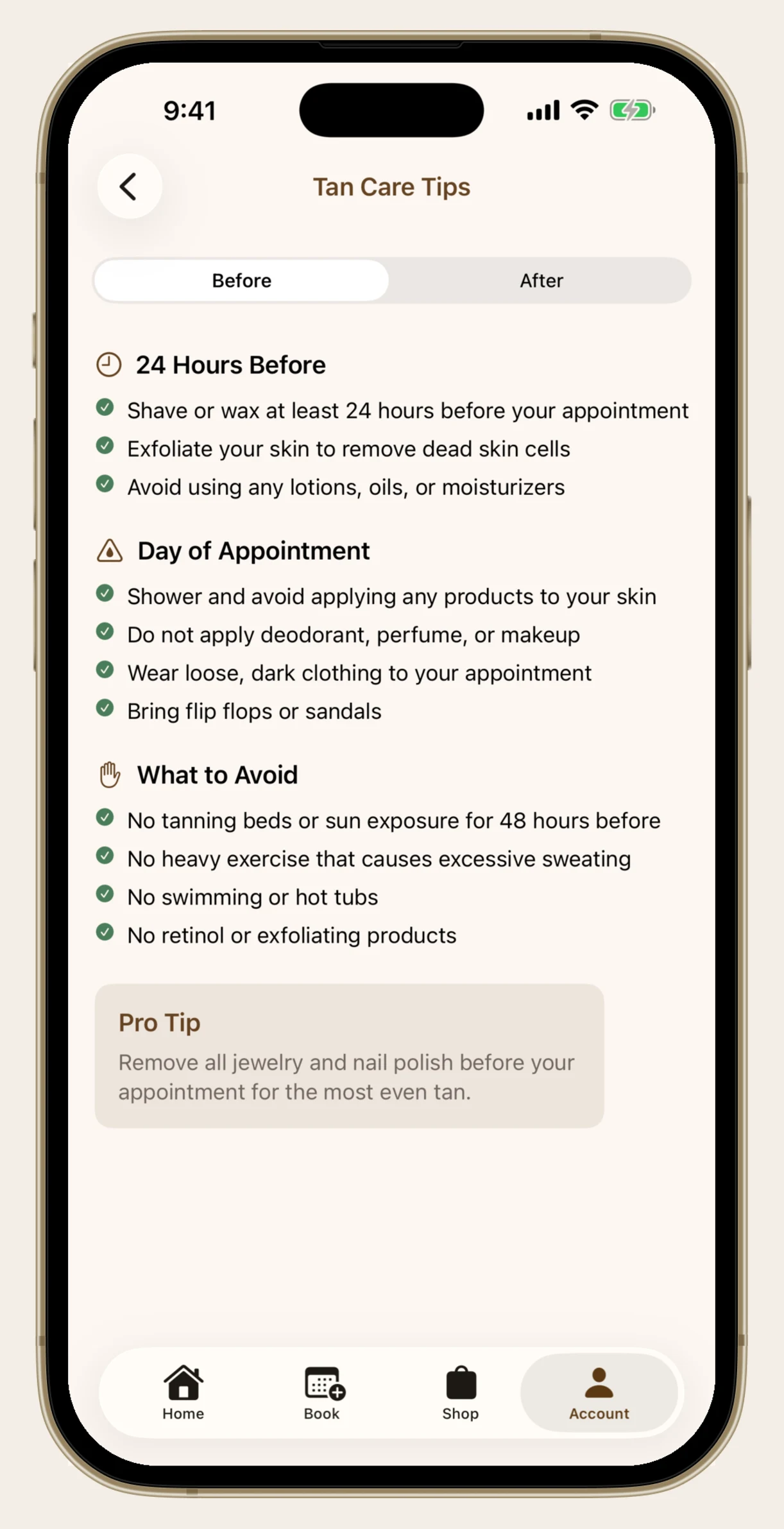
Even better, the appointment card on your home screen links straight to it. Before your tan it says Pre-Tan Care Instructions, and after it says Post-Tan Care. It always shows you the half you actually need. The same guide lives on the website under Tan Care.
Decide How I Reach You
Under Notifications you control both push notifications and text messages. You can also see exactly what I'd be sending: reminders at 24 hours and 2 hours before, booking confirmations, billing reminders if you're a member, and the occasional promotion.
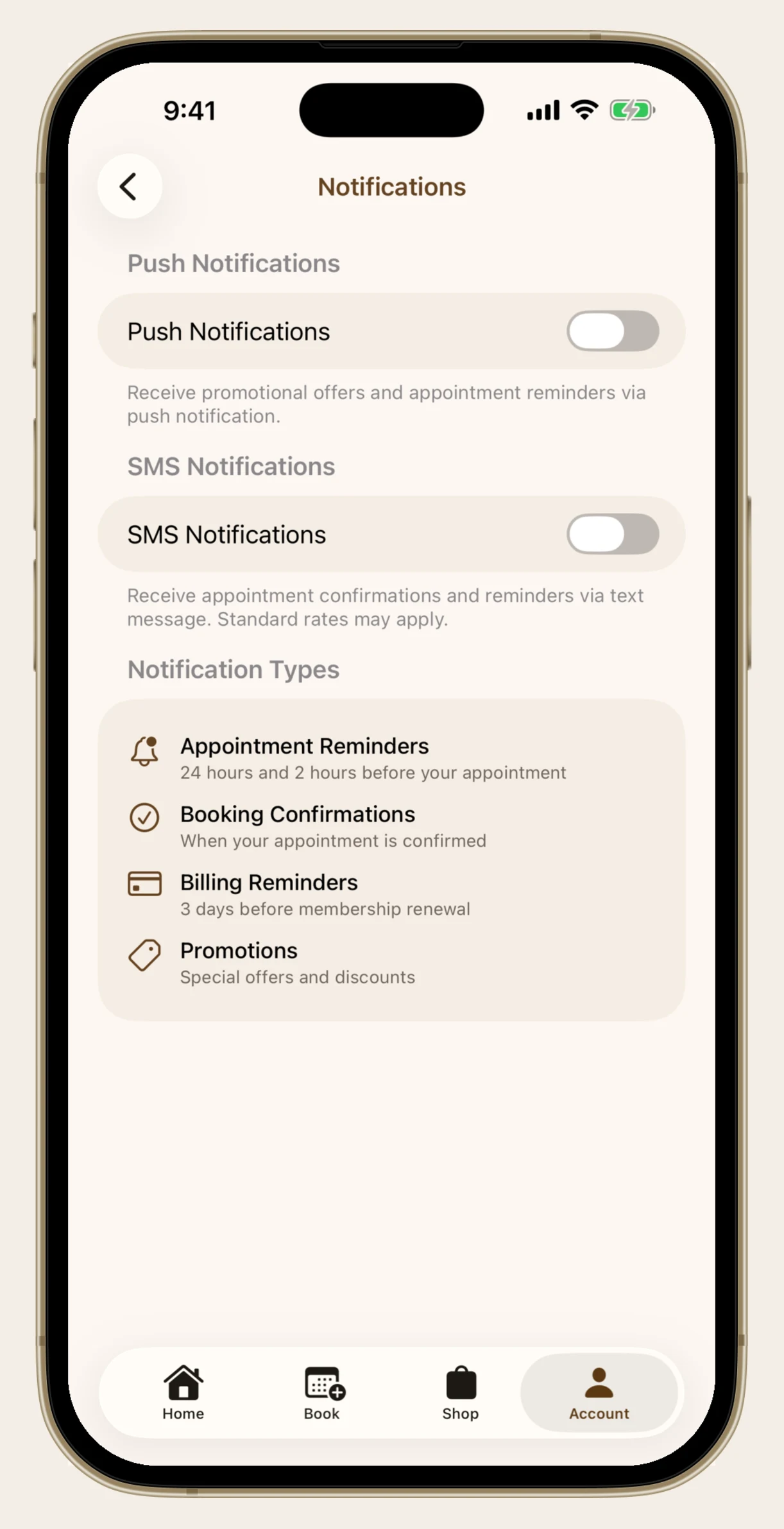
I'd gently suggest leaving appointment reminders on. The 2-hour one has saved more than a few tans.
That's the Tour
Booking, rescheduling, cancelling, your history, your Sunday Dollars, your referral code, your care instructions, and your notification settings. All of it yours to handle whenever it's convenient for you.
And to be clear, none of this means stop texting me. If you're not sure about timing before a wedding, or you got a little pink at the lake and don't know if you should still come in, please text me. That's the stuff I actually want to help with. The app just takes care of the rest.